
Running a rental business online means making choices that directly impact your revenue and customer satisfaction. One of the biggest decisions is whether to offer daily rentals, hourly rentals, or a mix of both.
The right rental model depends on your industry, customer expectations, and pricing strategy. In this article, we’ll break down the pros and cons of daily vs hourly rental bookings, compare them side by side, and help you decide which model is best for your business.
What Are Daily and Hourly Rentals?
Daily Rentals
A daily rental means customers pay to use your product or service for a 24-hour period (or per night in the case of property rentals).
- Common in: Car rentals, hotel rooms, vacation homes, equipment rental, event spaces.
- Example: A customer books a car for 3 days, paying a flat rate per day.
Hourly Rentals
An hourly rental means customers are charged based on the number of hours they use the product.
- Common in: Bike rentals, coworking spaces, event halls, taxi or chauffeur services, sports equipment.
- Example: A customer rents a bike for 4 hours at $10/hour.
Daily vs Hourly Rentals: Key Differences
| Aspect | Daily Rental | Hourly Rental |
|---|---|---|
| Pricing Model | Fixed price per day/night | Flexible price per hour |
| Customer Type | freelancers or digital nomads, tourists or business travelers | Short-term users, quick trips, casual users |
| Best For | Coworking, car & bike rental, equipment rentals | Meeting rooms, coworking spaces, studios, urban car/bike rentals, Event equipment rentals |
| Revenue Potential | Higher per booking | Higher turnover, more bookings in a day |
| Booking Complexity | Easier to manage | More complex scheduling and availability |
| Cancellation Impact | Less disruptive (fewer bookings per day) | More disruptive (tight time slots) |
Pros and Cons of Daily Rentals
Advantages
- Simpler pricing → Easy for customers to understand. No confusion about partial hours or complicated fee structures
- Less scheduling hassle → Fewer turnover events per day.
- Higher-ticket bookings → Compared to hourly rentals, each transaction usually generates more revenue.
- Encourages Longer Bookings → Good for businesses that want stability and predictable usage
- Ideal for Tourists and digital nomads → Don’t need to worry about hours running out
Disadvantages
- Limited Flexibility for Customers → May lose short-term customers who only need a few hours.
- Possible Wasted Time/Resources → Customers may rent for the whole day but only use a few hours
➤ Daily Rentals Work Best for: Coworking spaces offering day passes to freelancers or digital nomads, car & bike rental businesses targeting tourists or travelers and equipment rentals (construction, cameras, tools) where daily use is standard.
Pros and Cons of Hourly Rentals
Advantages
- High Flexibility for Customers → Customers pay only for the exact time they use
- Increased Booking Turnover → One asset can serve multiple customers per day
- Competitive Advantage → Especially effective in urban areas where demand for short rentals is high
- Upsell Potential → Customers may book extra hours once they start
Disadvantages
- More complex scheduling → Requires precise time tracking and availability management. Without good booking software, overlaps or double-bookings can occur
- Higher Operational Costs → More frequent check-ins/outs, Requires cleaning, setup, or preparation multiple times a day
- Potential Idle Gaps → If customers book odd hours, you may end up with “empty slots” that are hard to fill
➤ Hourly Rentals Work Best for: Meeting rooms, coworking spaces, studios, urban car/bike rentals, Event equipment rentals and businesses targeting on-demand users who prioritize flexibility
Which Model Fits Your Business?
Here’s a breakdown by industry to help you decide:
- Car & Taxi Rentals → Mix of both works best. Daily rentals for tourists, hourly pricing for airport transfers or city rides.
- Bike & Scooter Rentals → Hourly model is ideal since most rides are short.
- Property Rentals (Airbnb, vacation homes) → Daily or nightly rentals are the standard.
- Hotels & Resorts → Daily or nightly bookings work best.
- Equipment Rentals → Depends on the equipment: daily for large tools, hourly for sports or event gear.
- Coworking & Meeting Rooms → Hourly bookings allow more flexibility.
- Event Venues → Both models work: hourly for small events, daily for weddings or conferences.

Hybrid Approach: Best of Both Worlds
Many rental booking plugins allow you to set both daily and hourly pricing options, giving customers the flexibility to choose what suits their needs. However, in my experience, the BRW Rental Booking Plugin offers more flexibility than most. It provides advanced options for configuring prices and makes it easier to manage both hourly and daily bookings in a single system
Why BRW plugin is the best for setting both daily and hourly pricing options
1. Flexible Hourly and Daily Pricing Options for Every Business Need
If you want customers to pay exactly for the time they rent, you can choose hourly pricing options such as Hourly-Based Pricing, Flat Hourly Pricing, or Time Slots. Unlike many other plugins that automatically switch to daily pricing after 24 hours, BRW keeps calculating costs on an hourly basis regardless of how long the booking lasts. This ensures transparent pricing for customers and gives businesses complete control over revenue.
If you want customers to rent by the day, you can choose daily pricing options, including Fixed Price per Day, Daily Pricing Plan, or Daily-Based Pricing. Depending on your business model, a “rental day” can be defined in different ways:
- Calendar Day: Customers pay for each calendar day regardless of start and end times. Example: A customer rents from 10/09/2025 to 12/09/2025 → they pay for 3 rental days (10, 11, and 12).
- Night-Based Day: Customers pay per night, similar to hotel bookings. Example: A customer rents from 10/09/2025 to 12/09/2025 → they pay for 2 rental nights (10 and 11).
- 24-Hour Cycle: Each rental day is counted as a full 24-hour period. Any extra hours are rounded up to a full day. Example: A customer rents from 10/09/2025 at 07:00 AM to 12/09/2025 at 09:00 AM → that’s 48 hours + 2 extra hours, which rounds up to 3 rental days.
If you want a more flexible model, you can set up mixed pricing — a combination of daily and hourly rates. For example, if your pricing is $20 per day and $2 per extra hour, then a booking of 1 day and 2 hours would cost $24.
2. Reduce Admin Work
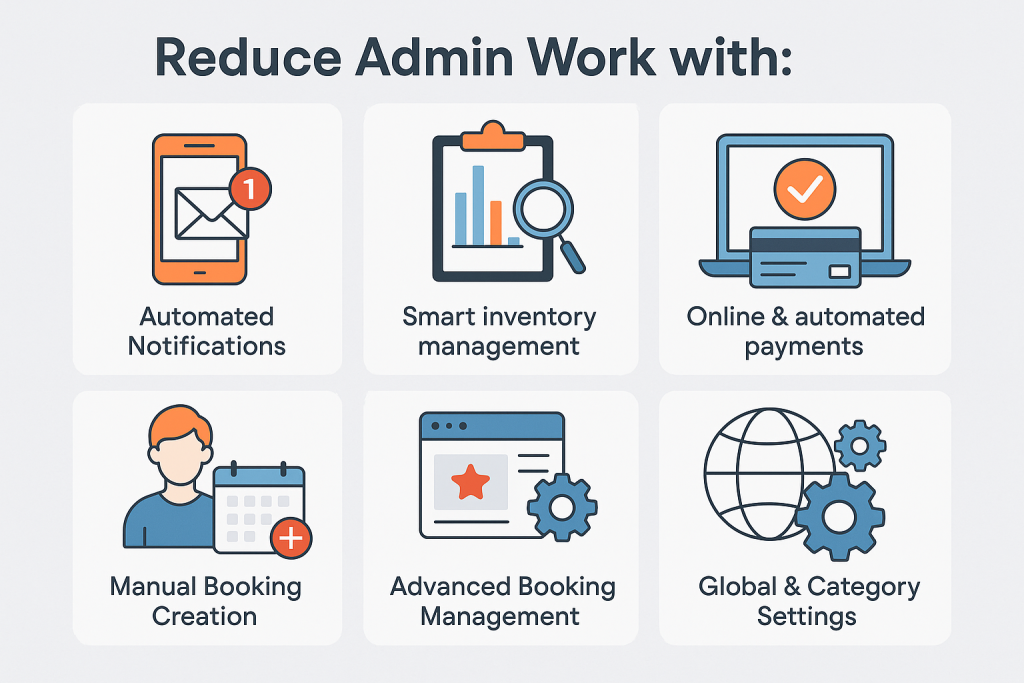
Managing a rental booking website can keep admins busy with repetitive tasks — especially with hourly and daily rentals, where a large number of bookings must be handled. However, with the BRW rental booking plugin, admins can significantly reduce their manual workload
- Automated Notifications → Send recurring reminders to customers about their upcoming check-in date until the rental begins. Automatically send an email including the remaining balance and a secure payment link.
- Smart inventory management → Choose between general inventory or item-level inventory settings. The plugin automatically updates available stock after each booking to prevent overbooking. Manage multiple items (cars, rooms, equipment) simultaneously without manual daily updates.
- Online & automated payments → Integrates with WooCommerce and payment gateways (Stripe, PayPal, Momo, VNPAY, etc.). Customers pay directly when booking → no manual transfer confirmation required.
- Manual Booking Creation → All bookings (online + offline) are stored in the same dashboard, making it easier for admins to manage schedules, payments, and inventory. When creating a booking in backend, you only need to enter a name and the plugin instantly fills in the remaining details. This will save tons of your time.
- Advanced Booking Management → Quickly filter bookings by customer name, product, or pickup and drop-off location. Easily view and manage all reservations with a visual backend calendar
- Global & Category Settings → Configure settings once and apply them to all products using Global Settings, or apply custom settings to a specific group of products using Category Settings.
- Calendar Availability → Gives admins a clear, real-time view of all available dates and times. This helps prevent overbooking, speeds up scheduling, and makes managing multiple items or locations much easier.
3. Easy to Install & Use
The BRW Booking Plugin installs in just a few clicks and integrates seamlessly with WooCommerce, so you can start managing bookings right away. Its intuitive interface means there’s no steep learning curve — even first-time users can set up products, prices, and booking options quickly.
In addition to standard Elementor widgets, BRW provides its own custom widgets designed specifically for rental and booking needs. This allows you to easily build and customize attractive product pages, display availability calendars, and showcase pricing tables without any coding.
With comprehensive documentation and dedicated support, you’ll have everything you need to launch your booking system smoothly.
How to Implement Daily or Hourly Rentals in WordPress
To add Daily or Hourly Rentals , you’ll need a rental plugin. To support Daily or Hourly rentals, you’ll need a rental plugin. This guide uses BRW – Booking Rental Plugin for WooCommerce, built for WordPress
Quick Start: Add Daily or Hourly Rentals with BRW (WooCommerce)
1. Install
- Requirements: WordPress 6+, WooCommerce 8+, PHP 7.4/8.x.
- Plugins → Add New → Upload BRW ZIP → Activate.
- Check Permalinks (Post name), Timezone, and WooCommerce pages (Cart/Checkout/My Account).
2. Create Daily/Hourly Rental Products
- Products → Add New → Product data: Rental.
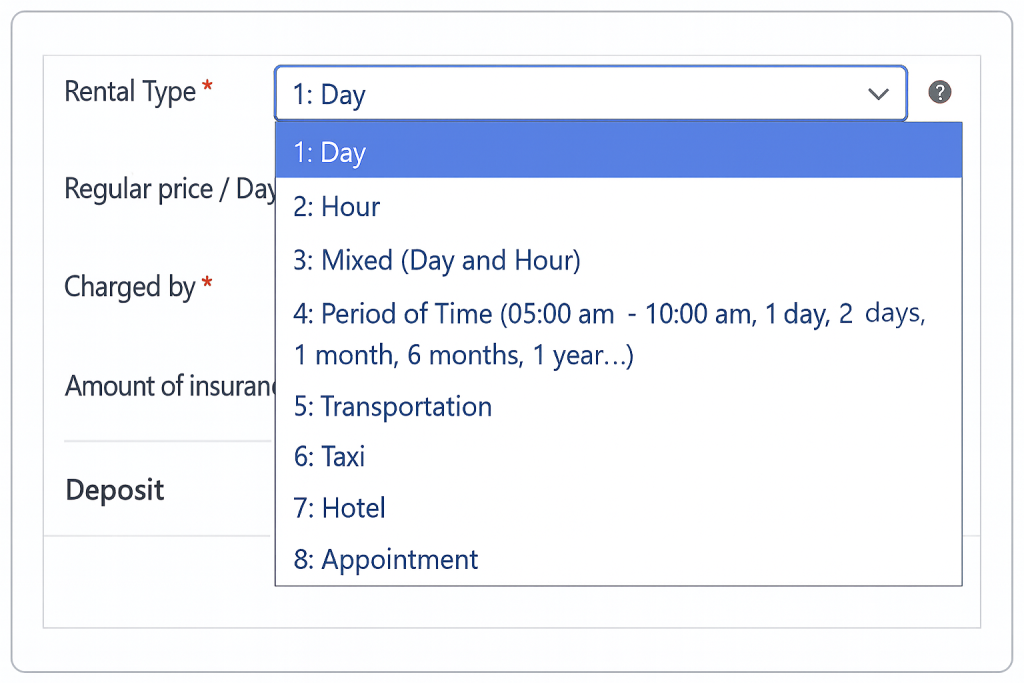
- Rental Type: Day or Hour.
- Pricing: Set hour-based pricing (Hourly-Based Pricing, Flat Hourly Pricing, or Time Slots) or day-based pricing (Fixed Price per Day, Daily Pricing Plan, or Daily-Based Pricing)
- Availability: Allowed/Disabled Dates
- Inventory: Quantity/units to prevent double booking.
- Details: Product Description, Images, specifications/features, Discounts, Deposit & Insurance, Upsells.
- (Optional) Pickup/Return locations and location fees.
- Advanced Settings: Booking Rules (Minimum & Maximum duration, Initial block days, Disable certain weekdays), Field Visibility (Show/hide quantity, pickup/drop-off date, pickup/drop-off location) and other settings
- Publish.
3. Global Settings (BRW → Settings)
- Calendar & Booking Rules: date/time format, min/max duration, time slot step, Operating Hours, cancellation policy.
- Google Maps & Locations: API key, pickup/return locations.
- Listing & Product Pages: Show/hide fields,
- Payments & Emails: deposit/security deposit, gateways, check-in reminders and balance-due emails with Pay Now link.
4. QA Checklist
- Search availability → add to cart with extras → pay deposit → receive balance-due email → Pay Now completes order.
- Verify buffers/blackout dates, location fee, and mobile booking UI.
Which Model Generates More Revenue?
It depends:
- Daily rentals → Higher per booking value, fewer bookings.
- Hourly rentals → Lower per booking value, but higher frequency.
Pro Tip: Track your bookings and customer behavior. If you see customers often requesting short usage, consider offering hourly pricing. If most bookings are long-term, stick to daily rentals.
FAQs About Daily vs Hourly Rentals
Q1: Can I offer both daily and hourly rentals on the same product?
Yes. Plugin BRW supports hybrid pricing options.
Q2: Which is easier to manage for beginners?
Daily rentals are simpler since you have fewer scheduling and turnover issues.
Q3: Does hourly rental work for property businesses?
Not usually. Properties are almost always rented per night/day.
Q4: Which model is more profitable?
It depends on your industry and demand. Urban rentals often benefit from hourly, while travel-related rentals favor daily.
Final Thoughts
Choosing between daily vs hourly rental bookings depends on your business model, industry, and customers.
- Choose daily rentals if you want simplicity, higher-value bookings, and target travelers.
- Choose hourly rentals if your business thrives on short-term, high-frequency usage.
- Choose both if you want maximum flexibility and serve multiple customer types.
With the right rental booking plugin for WordPress, you don’t have to limit yourself — you can set both options and let your customers decide.
If you want full flexibility, we recommend BRW plugin for WooCommerce. The plugin support both daily and hourly rentals, giving you the freedom to scale your business without limits.
