
Introduction
Are you looking for the best Daily Rental Plugin WooCommerce to manage your car, bike, room, or equipment rental business? Managing reservations, pricing, and payments can be overwhelming without the right tool. That’s where the Daily Rental Plugin WooCommerce – BRW comes in. This powerful plugin transforms your WordPress site into a complete rental booking system, giving you full control over daily-based rentals.
While other plugins only support one method of calculating rental days, BRW Daily Rental Plugin WooCommerce supports three different methods (a rental day as a calendar day, a night, or 24 hours), ensuring it can meet a wide range of rental requirements.
Why Choose a Daily Rental Plugin for WooCommerce?
A daily rental plugin WooCommerce allows you to:
- Automate the booking process.
- Calculate rental prices per day.
- Accept online payments securely.
- Prevent double-bookings with a smart calendar.
Whether you rent vehicles, properties, or equipment, a WooCommerce daily rental plugin saves time, reduces errors, and improves the customer experience.
Key Features of BRW Daily Rental Plugin WooCommerce
1. Daily-Based Pricing
- General Price: Set a fixed rental price per day (e.g., $20 per day).
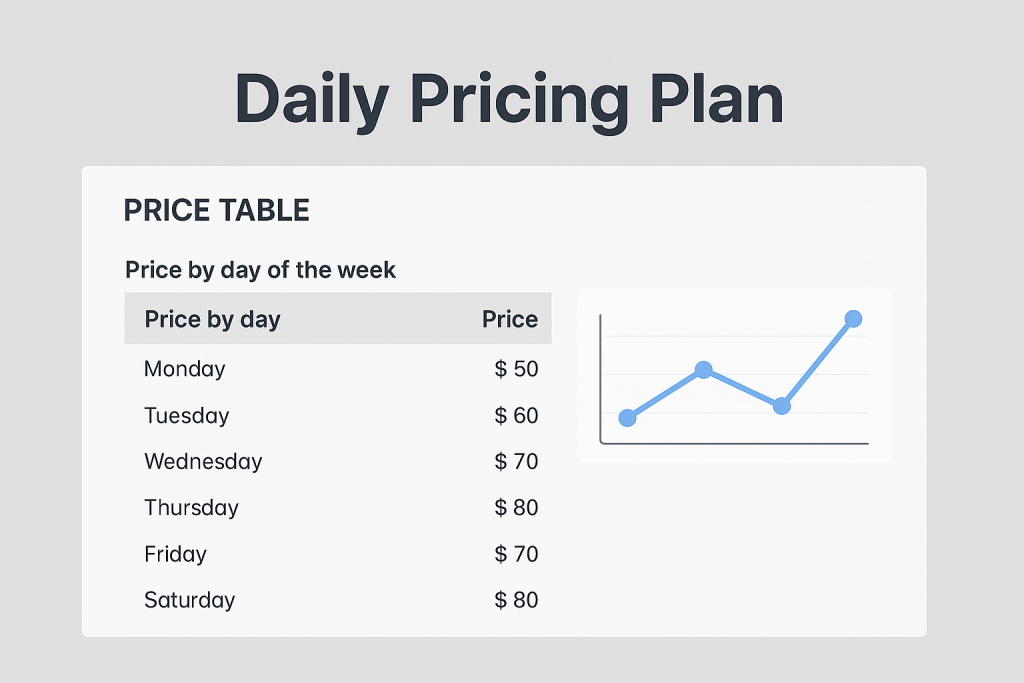
- Daily Pricing Plan: Set different rental prices for each weekday (e.g., $20 for Monday, $21 for Tuesday, $22 for Wednesday).
- Daily-based Pricing: Offer discounts or packages based on the total rental duration in days (e.g., 3 days = $20, 5 days = $30).
- Mixed (Day & Hour) Pricing: Allow a combination of daily and hourly pricing. With this option, the rental duration is calculated based on the number of full rental days (1 day = 24 hours) plus the number of additional hours. Example: $20/day and $2/hour, if the rental duration is 1 day 2 hours, the total price is $24.
2. Discounts and Offers
- Duration-based Discount: Offer automatic discounts for longer rental periods (e.g., 3-5 days: $19/day, 6-10 days: $18/day )
- Seasonal Rates: Set different rental prices based on seasons or peak periods to maximize revenue
3. Ways to Calculate Rental Days
BRW Daily Rental Plugin WooCommerce supports 3 rental day calculation methods:
- One rental day as one calendar day:
The rental is calculated by calendar days.
Example: If you rent from 08/09/2025 to 10/09/2025, the rental period is 3 days (08, 09, and 10).
- One rental day as one night:
The rental is calculated by nights.
Example: If you rent from 08/09/2025 to 10/09/2025, the rental period is 2 nights (08 and 09).
- One rental day as 24 hours:
The rental is calculated in 24-hour blocks. Any extra hours are rounded up to a full day.
Example: If you rent from 08/09/2025 08:00 AM to 10/09/2025 09:00 AM, the total duration is 49 hours = 2 days + 1 hour. Since the extra 1 hour is rounded up to a full day, the rental period is counted as 3 days.
4. Booking Calendar Management
- Visual Booking Calendar: View all bookings in daily, weekly, monthly, or list view directly on the backend calendar. Quickly search for bookings of a specific product.
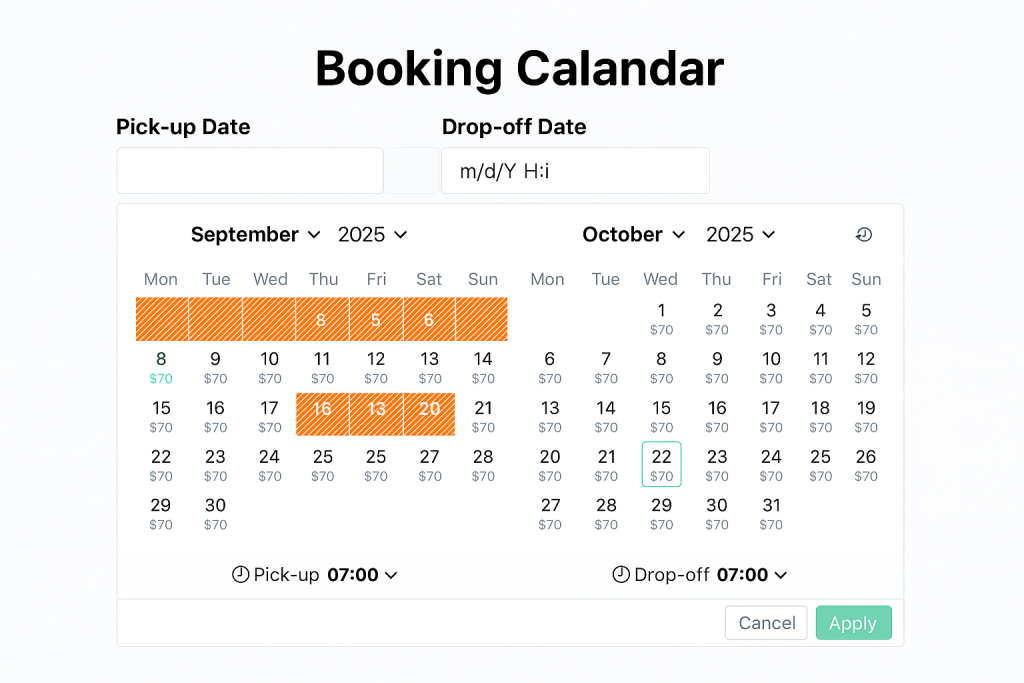
- Frontend Availability Calendar: Customers can check available and unavailable dates instantly and view the daily price on the calendar before booking.
- Real-Time Updates: Prevent overlapping reservations with automatic updates that keep availability accurate at all times.
5. Flexible Payment Options
- Payment Gateways: Works seamlessly with WooCommerce payment gateways (PayPal, Stripe, Credit Cards, Bank Transfers, etc.).
- Deposit Feature: Allow customers to choose whether they want to pay in full at the time of booking or pay partially as a deposit. The partial payment can be configured based on either a fixed amount or a percentage of the total price
6. Extra Charges & Additional Services
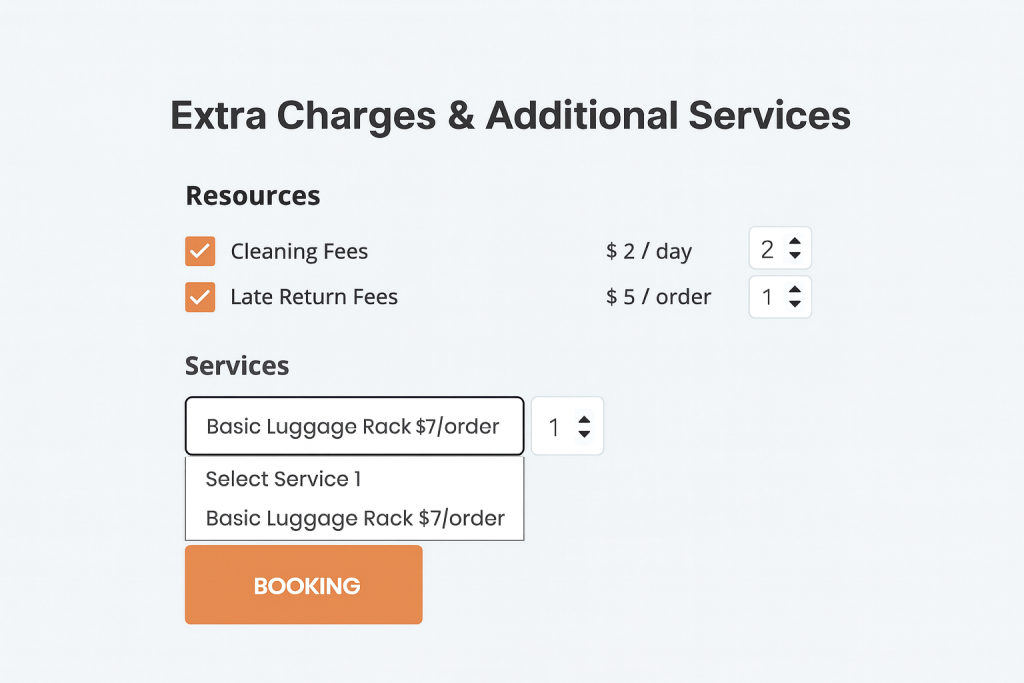
- Extra Charges: Easily add and manage extra fees on a daily or per-order basis beyond the standard rental price, such as Delivery/Pickup Fees, Cleaning Fees, or Late Return Fees.
- Additional Services: You can also offer Additional Chargeable Services on a daily or per-order basis — for example: Driver Services, GPS Navigation, Wi-Fi Hotspot, or Additional Luggage Rack — with multiple options available for each service
7: Booking Form and Request Booking Form
- Booking Form: Allow Customers to make a booking directly on the site. The system confirms the booking immediately after payment (if required).
- Request Booking Form: Instead of an instant booking, customers send a booking request . The admin can then review the request and either approve or decline before confirming the booking.
8: Booking Rules
- Minimum & Maximum Rental Day: Define how short or long a booking can be (e.g., minimum 1 day, maximum 30 days).
- Initial Block Days: defines how many days cannot be rented before the actual booking starts (e.g., if set to 2 and rental begins on Sep 10, then Sep 8 and 9 are blocked)
- Post-Booking Block Days: Blocks the specified number of days after the booking end date (e.g., if set to 1 and booking ends on Sep 10, then Sep 11 is blocked)
- Blackout Dates: Block off unavailable periods such as holidays, maintenance days, or personal schedules.
- Pickup & Return Time Rules: Set rules for pickup and return times (e.g., allow pickups only between 08:00–18:00)
- Restricted Weekdays: Restrict rentals on specific weekdays (e.g., no Sunday pickups).
- Overcome Disabled Weekdays: Enable bookings across restricted weekdays (e.g., allow a Mon–Fri rental even if Thursday is disabled)
- Time Interval: Set the gap between available booking times (e.g., 30 minutes → 09:00, 09:30, 10:00)
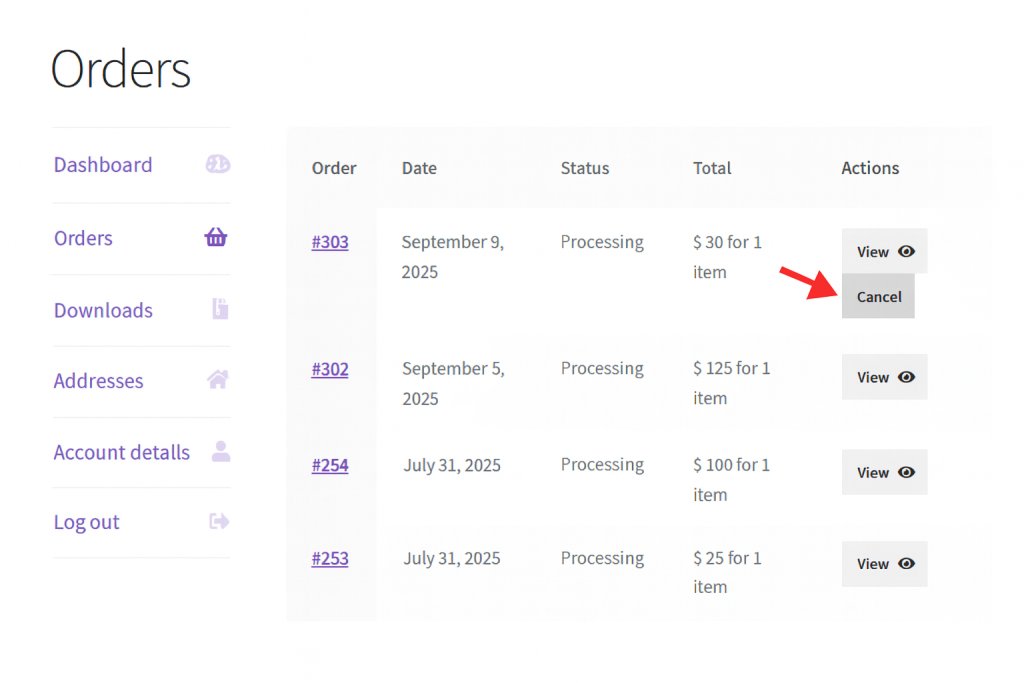
9: Cancel Policy
Define flexible cancellation rules to manage refunds and protect your business. You can set:
- How many days before the rental start date a customer is allowed to cancel
- Allow cancellation only when the total order amount is below the specified value
10: Search Form
Make it easy for customers to find the right rental product with an advanced search form of Daily Rental Plugin WooCommerce – BRW. The plugin supports multiple search criteria, including Product Name, Attribute, Product Tag, Pick-up Location, Drop-off Location, Pick-up Date, Drop-off Date.
Benefits of Using BRW Daily Rental Plugin WooCommerce
- Save time with automated rental management – streamline daily operations and reduce manual work.
- Increase customer trust through transparent pricing – clearly display rental costs, fees, and discounts.
- Boost sales by managing multiple rental products – handle cars, bikes, equipment, or properties all in one place.
- Enhance user experience with search form, request forms, booking calendar, and availability calendar – give customers an easy way to book and check availability.
- Ensure booking security with flexible deposit payments – allow full or partial payments for more convenience and reliability.
- Track bookings visually with the backend calendar – monitor and manage all reservations at a glance.
Who Should Use This Daily Rental Plugin WooCommerce?
The BRW plugin is perfect for:
- Car, bike, or scooter rental services.
- Homestay, villa, or room rental businesses.
- Equipment or event rental companies.
- Any business that requires daily rental booking management.
Conclusion
When it comes to choosing the best Daily Rental Plugin WooCommerce, BRW stands out as the most powerful and user-friendly solution. With daily-based pricing, flexible payments, a smart booking calendar, and seamless WooCommerce integration, it helps businesses streamline operations and grow revenue.
Start managing your rentals the smart way with the BRW Daily Rental Plugin WooCommerce today!
