
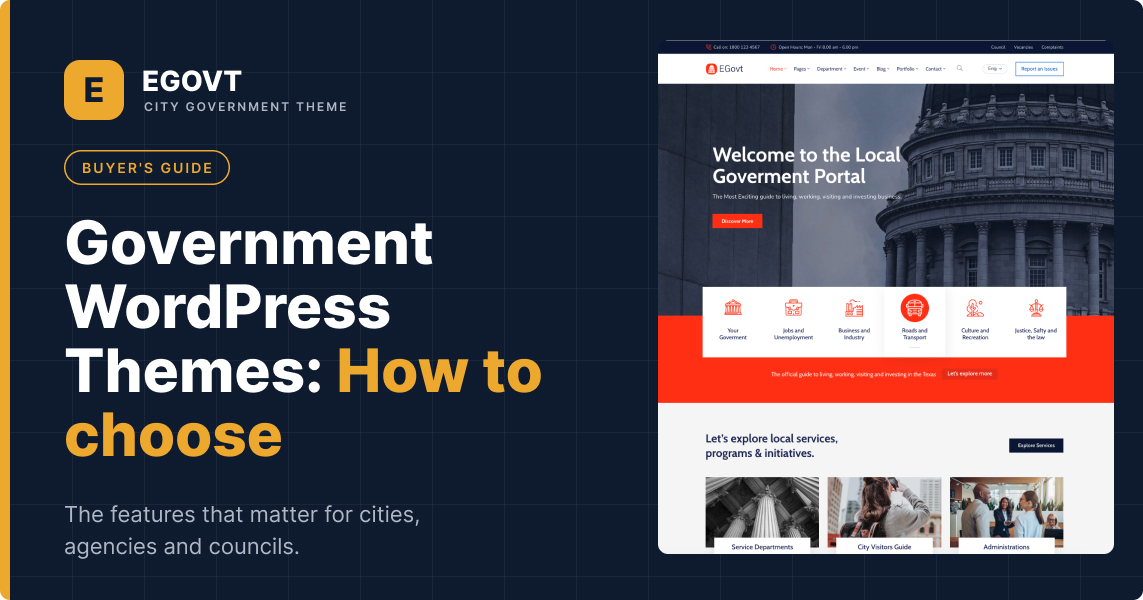
Choosing the right platform for a public-sector website is a decision you live with for years. Residents need to find services, download forms, and read announcements without friction — and your team needs to update all of it without calling a developer every time. For most municipalities, agencies, and public organizations, WordPress has become the practical answer, and the theme you build on top of it decides how far you get.
This guide explains what a government WordPress theme actually is, who needs one, the features that separate a serious option from a generic template, and how to choose confidently. Whether you are building a city portal, a departmental site, or a public-services hub, you will leave with a clear checklist and a shortlist of next steps.
What is a government WordPress theme?
A government WordPress theme is a pre-built design and functionality package made specifically for the public sector: cities and municipalities, government departments and agencies, councils, and public organizations. Unlike a generic business theme, it ships with the structures these organizations actually need — a services directory, a departments section, a document and records center, an events calendar, and staff listings — so you are not bolting civic features onto a template designed to sell products.
WordPress itself powers a large share of the web because it is flexible, open-source, and inexpensive to run. For government teams that flexibility matters twice over: budgets are tight, procurement is slow, and the people updating the site are rarely developers. A purpose-built theme closes that gap, giving non-technical staff a way to publish and maintain official content on their own.
Who needs a government or municipal WordPress theme?
The category is broader than it first appears. A municipal WordPress theme fits any organization whose job is to inform the public, publish official content, and deliver services online. The most common use cases include:
- City and municipal portals — a single home for local news, public services, and official announcements.
- Government departments and agencies — presenting each unit’s mission, duties, and staff, and letting the public report issues or request help.
- Public-service hubs — a searchable list of every service the organization provides, so citizens reach the right office quickly. (See our walkthrough on building a public services portal.)
- Councils and town halls — meeting schedules, minutes, and community programs. If this is your case, start with our city council website template guide.
- Document and records centers — a central place for citizens to browse and download forms, policies, and public records.
- Tourism and city directories — a searchable directory of local landmarks, attractions, and entertainment spots, each with a photo gallery, category, and a Google Map so visitors and residents can explore what the area offers.
- Public projects and achievements — showcase civic initiatives and milestones in image galleries and albums, organized by department or date.
- Community fundraising — run donation campaigns for public causes and community events using an integrated donations system.
If any of these describe your project, a dedicated theme will save you weeks of custom work compared with adapting a general-purpose template.
Must-have features to look for
Not every theme labeled “government” is built for the job. These are the features that genuinely matter — treat the list as a scorecard when you compare options.
1. Accessibility and compliance readiness
Public-sector sites are frequently required to meet accessibility standards such as WCAG 2.2, and in some jurisdictions ADA or Section 508. A good theme gives you a solid foundation: sufficient color contrast, keyboard navigation, semantic headings, and visible focus states. This is not optional polish — it is often a legal obligation. We cover the full picture in our guide to government website accessibility and compliance.
2. Purpose-built content management
The theme should let you manage the content types unique to government work without custom development:
- Services — publish and organize every public service in one searchable place.
- Departments — build unlimited departments showing structure, function, and duties.
- Documents — a dedicated hub for official files and public records.
- Events — promote meetings and programs with date and type filtering plus a calendar.
- Team — showcase officials and staff with roles, bios, and contact details.
- Directory — list local places, attractions, and entertainment venues, each with a category, gallery, and Google Map.
- Portfolio — present public projects and achievements in image galleries and albums, with Classic, Grid, and Modern layouts.
- Donations — set up and run fundraising campaigns for community causes.
Each of these should be editable by ordinary staff. Our how-to-build guide walks through setting them up step by step.
3. Multilingual support
Many governments must serve residents in more than one language. Look for compatibility with translation plugins like WPML so you can run a genuinely bilingual or multilingual site rather than maintaining two disconnected versions. Here is how to approach a multilingual government website.
4. A no-code page builder
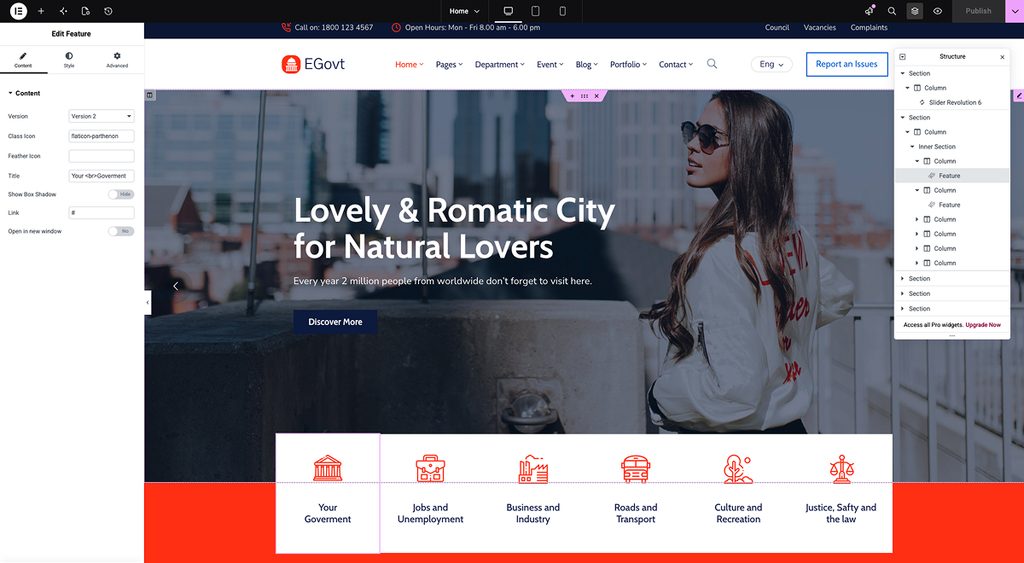
Your team will redesign pages long after launch. Themes that integrate a visual builder such as Elementorlet non-technical staff edit headers, footers, and full pages live, without touching code. This one feature often decides whether a site stays current or slowly goes stale. See building government pages with Elementor.
5. Performance and security
Government sites carry sensitive expectations around uptime and trust. Prioritize themes that are lightweight, pass Core Web Vitals, and follow secure coding practices. Speed also affects both accessibility and search rankings, so it is never just a technical nicety.
6. SEO-friendly structure
Clean markup, proper heading hierarchy, fast loading, and schema support all help residents find your pages through search. A theme that fights your SEO plugin is a theme that will cost you traffic.
How to choose the right government WordPress theme
With the feature scorecard in hand, work through a short decision process:
- List your content types. Do you need services, departments, documents, events, a directory, or donations? Match those against what each theme offers out of the box.
- Confirm accessibility support. Ask specifically about WCAG readiness; do not assume it.
- Check who will edit the site. If that is non-technical staff, a visual builder and one-click demo import are essential.
- Verify support and updates. Public sites live for years — you want a vendor that ships updates and answers tickets.
- Compare shortlisted options side by side. Once you have two or three candidates, a direct comparison like Egovt vs CityGov vs TownPress makes the trade-offs obvious.
For a curated starting point, our roundup of the best government WordPress themes narrows the field to the strongest options for 2026.
How much does a government WordPress theme cost?
A premium government theme is a small fraction of a website’s total budget — typically a one-time license in the range of a few dozen dollars, versus thousands for a fully custom build. The larger costs are hosting, any premium plugins, and setup time. Because a purpose-built theme includes the civic features and a one-click demo, it dramatically cuts the setup effort, which is usually the most expensive line item. For a full breakdown, see how much a government website costs.
Building your site once you’ve chosen
A good theme gets you most of the way, but a successful launch still needs a plan: information architecture, core pages, and the civic sections filled with real content. Rather than repeat it here, we’ve written a dedicated, step-by-step walkthrough — how to build a government website with WordPress — that takes you from a blank install to a working portal
Why Egovt is a strong choice
If you want a theme that already checks every box on the scorecard above, Egovt is built specifically for city governments, municipalities, and public agencies. It ships with management tools for services, departments, documents, events, and teams — plus a directory of local places and attractions, a portfolio for public projects and achievements, and GiveWP-powered donation campaigns for community causes. It works with the free Elementor builder and WPML; and it includes one-click demo import so you can start from a complete, ready-made government site and simply replace the demo content with your own. It’s trusted by more than 1,700 customers and backed by documentation and support.
That combination — civic features, no-code editing, multilingual readiness, and accessibility groundwork — is exactly what this guide recommends looking for.
Ready to launch faster? Explore the Egovt City Government theme → View the live demo, or start building your municipal site today.
Frequently asked questions
Is WordPress suitable for government websites?
Yes. WordPress is open-source, flexible, and cost-effective, and with a purpose-built theme it handles the services, documents, and announcements public-sector sites need — all editable by non-technical staff.
Do I need coding skills to run a government WordPress site?
No. A theme with a visual builder like Elementor and one-click demo import lets staff publish and edit pages without writing code.
Are government WordPress themes accessible?
The best ones provide a WCAG-ready foundation, but accessibility is ultimately about how you build and maintain the site. Read our accessibility and compliance guide for the full checklist.
Can a government WordPress site support multiple languages?
Yes, when the theme is compatible with a translation plugin such as WPML. See our multilingual government website guide.
How long does it take to launch?
With one-click demo import and a builder, a basic site can be live in days — most of the time then goes into writing and organizing your own content, not on design.
