
Today’s customers expect to book taxis and transfers online. If you run a transportation business, you need a plugin that automates reservations, calculates fares, and accepts payments. The BRW Taxi Booking Plugin WooCommerce turns your WordPress site into a professional taxi booking platform.
In this guide, we’ll review how BRW works, its features, why it’s the best WooCommerce taxi booking plugin, and how it can help your business grow.
What is a Taxi Booking Plugin WooCommerce?
A Taxi Booking Plugin for WooCommerce is a WordPress extension that allows customers to:
- Choose pickup and drop-off points
- View estimated fares instantly
- Pay online through WooCommerce gateways
- Receive booking reminders
On the backend, admins can:
- Set pricing rules (per km, per route, hourly, or daily)
- Support waypoints
- Set waiting fee
- Add extra services & upsell
- View all bookings in a calendar format
- Prevent double-bookings automatically
- Generate sales reports through WooCommerce
Instead of relying on third-party taxi apps, you can own your booking platform and manage everything directly from WordPress.
Introducing BRW Taxi Booking Plugin WooCommerce
The BRW (Booking & Rental Plugin for WooCommerce) is a multi-industry booking system that supports vehicles, hotels, equipment, tours, and more.
With its taxi booking mode, BRW becomes a complete ride-booking platform. Whether you manage a small taxi fleet, a limousine service, or an airport transfer company, BRW offers the tools to handle reservations professionally.
Key Features of BRW Taxi Booking Plugin WooCommerce
Here’s what makes BRW stand out from other plugins:
1. Pricing Plans
Distance & Route-Based Pricing
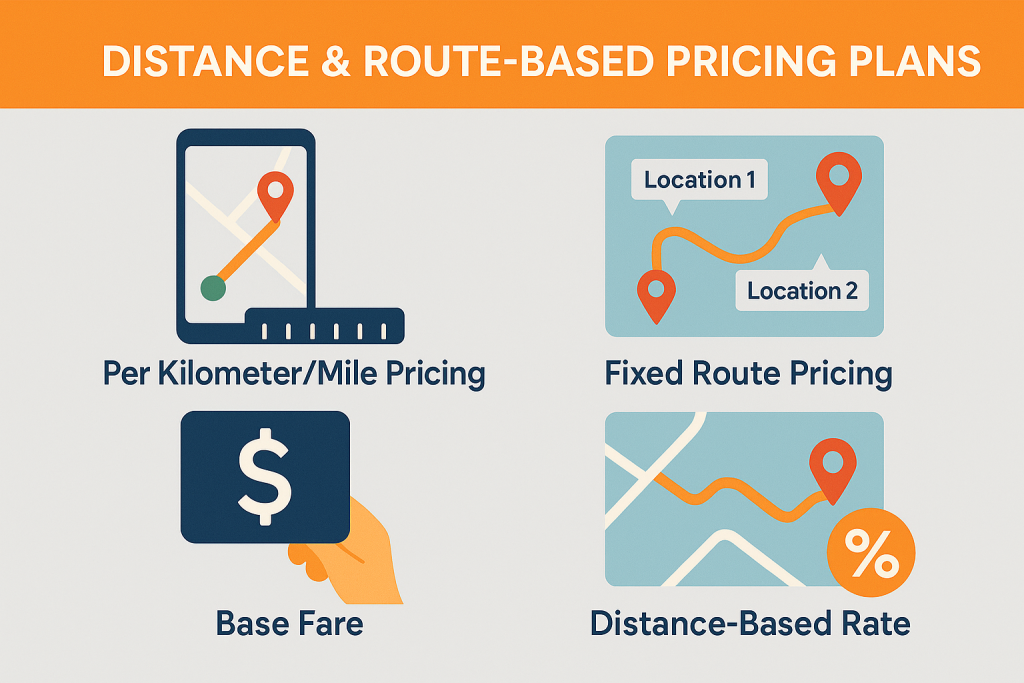
- Per Kilometer/Mile Pricing – Automatically calculate fares based on travel distance (e.g., $1.2/km).
- Fixed Route Pricing – Set predefined fares for popular routes (e.g., Airport → Downtown = $30).
- Base Fare – Works as the minimum starting cost for a booking (e.g., $2/km, Base Fare = $20 – covers the first 10 km, If a customer rents and drives 15 km → Total = $20 + (5 × $2) = $30)
- Distanced-based Rate – the price is calculated depending on how far a customer travels (e.g., $2 per km for the 11 – 20 km, $1.5 per km after 20 km)
This ensures customers always know the price upfront—building trust and reducing disputes
Time-Based Pricing Modes
- Hourly Pricing – Perfect for chauffeur-driven cars, short city tours, or meeting rentals.
- Daily Pricing – Ideal for long trips, outstation services, or multi-day rentals.
- Mixed (Daily and Hourly) Pricing – Flexible option combining both models, ideal when customers need both short and long rentals.
- Peak/Off-Peak Rates – Charge different fares depending on time of day, weekends, or seasonal demand.
- Rates Based on Length of Rental – Discounts or rate changes depending on whether the booking is short-term or long-term.
2. Pickup & Drop-Off Management
- Customers can enter exact pickup and drop-off addresses.
- Google Maps integration calculates distance automatically.
- Admins can restrict service zones (e.g., only within city limits).
3. Waypoint Support
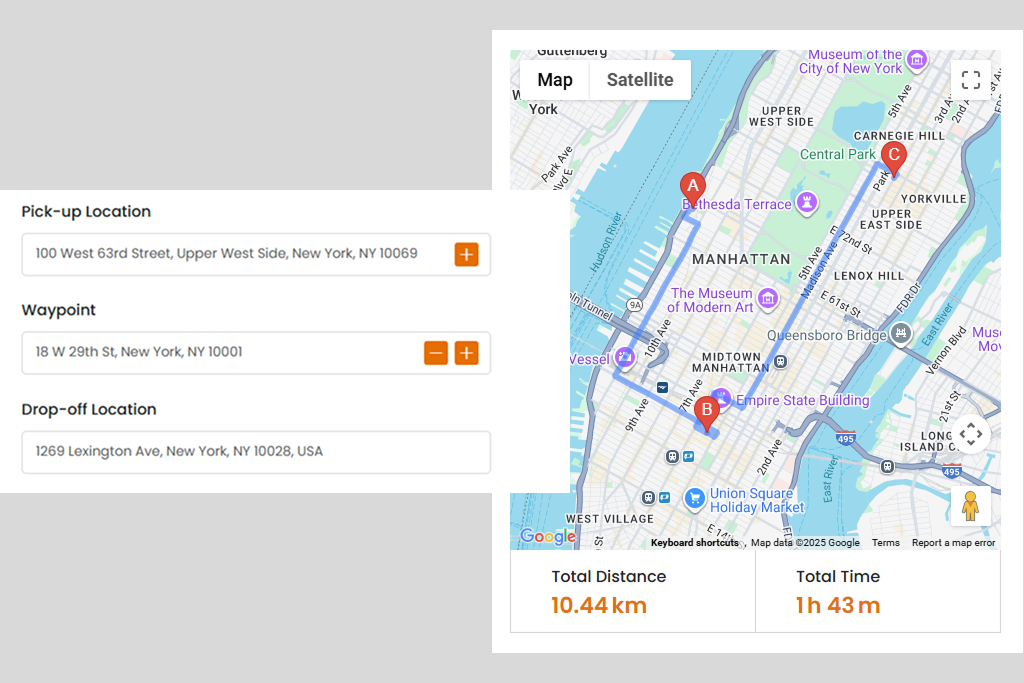
Let customers add intermediate stops between pickup and drop-off. The system automatically recalculates distance, time, and cost. Perfect for taxis, limousines, tours, and multi-stop deliveries.
With BRW WooCommerce taxi booking plugin, admin can set a maximum number of waypoints allowed
4. Waiting Fee
A Waiting Fee is an extra charge applied when a driver, vehicle, or service provider has to wait beyond the allowed free waiting time
Example: A taxi includes 10 minutes of free waiting. If the customer delays pickup by 20 minutes, the extra 10 minutes are charged as a waiting fee.
5. Extra Services & Upsell
Boost your revenue by offering add-ons and upgrades:
- Extra Resources – Add chargeable items such as a child seat ($5 per booking).
- Additional Services & Options – Offer different service levels, e.g., WiFi: Basic $15 per booking, High-Speed $20 per booking.
With smart upselling, you not only enhance customer satisfaction but also unlock new revenue streams for your rental business
6. Fleet & Vehicle Management
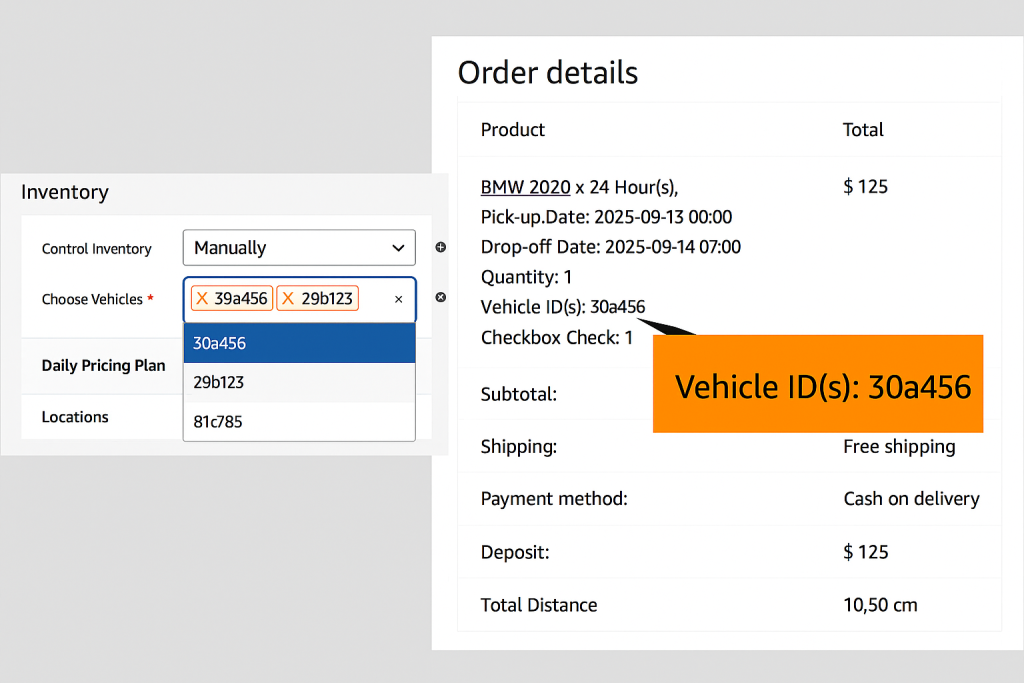
The plugin offers two ways to manage Vehicle:
- General Vehicle Management – For example, if you have 10 identical cars, you can simply set the Quantity to 10.
- Item-level Vehicle Management – For example, if you have 5 identical cars but want to track each one individually, you can create 1 car product with 5 vehicles, each with its own license plate, code, or serial number. When a booking is made, the system assigns a specific car.
7. Flexible Payment Options
- Accept full payments or partial deposits.
- Choose between fixed deposits or percentage-based deposits.
- Supports all WooCommerce gateways: PayPal, Stripe, credit card, bank transfer, COD.
8. Booking & Availability Calendar
- Frontend Calendar – Lets customers check available dates and times before booking.
- Backend Calendar – Admins view all bookings or bookings of a specific product (daily, weekly, monthly views or list view). Easily track product availability for a selected time period.
- Booking Calendar: Prevents double-booking and ensures accurate availability
9. WooCommerce Integration
- All bookings appear in WooCommerce Orders.
- Apply coupons and discount codes.
- Generate revenue reports and analyze trends.
10. User-Friendly Booking Experience
- Mobile-first responsive design.
- Simple booking form with pickup, drop-off, vehicle selection, and extras.
- Works seamlessly on desktop, tablet, and smartphone.
Why Choose BRW Taxi Booking Plugin WooCommerce?
Here are the top reasons why BRW is the best taxi booking solution:
✅ Multi-pricing flexibility – Distance, route, hourly, daily, or hybrid models.
✅ Scalable fleet management – From 1 car to 100+ vehicles.
✅ WooCommerce powered – Secure payments, coupons, and reporting
✅ Customizable – Works for taxis, limousines, shuttle buses, and chauffeur services.
✅ Boosts revenue – Through upsells, seasonal pricing, and duration-based discounts.
✅ Customer trust – Transparent pricing and instant confirmations.
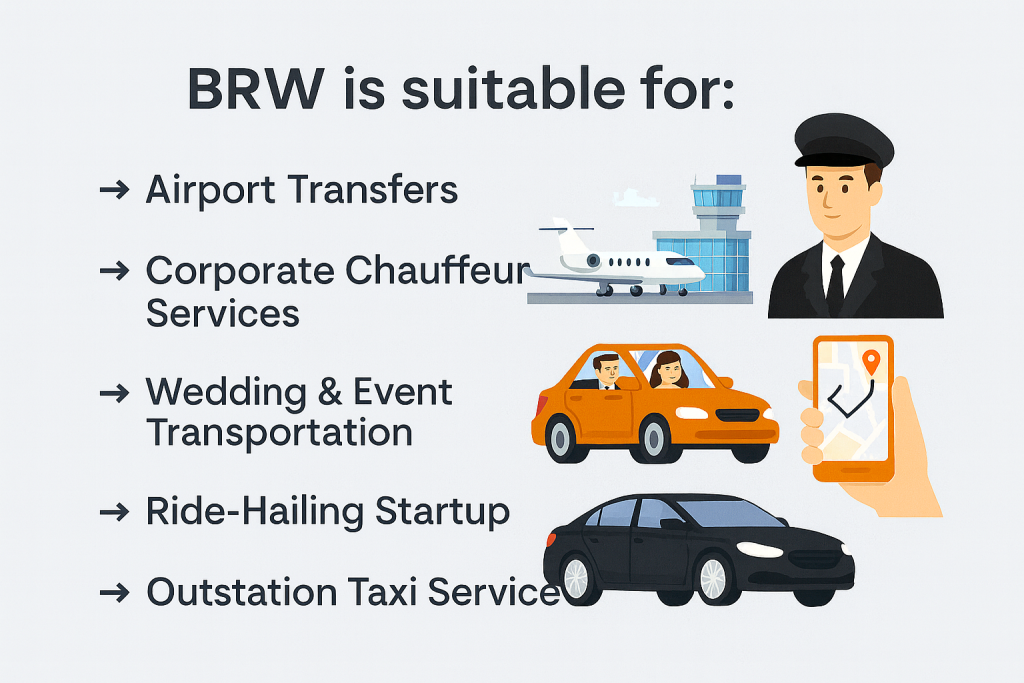
Example Use Cases
- Airport Transfers – Fixed rates for airport pickups/drop-offs.
- Corporate Chauffeur Services – Hourly bookings for business clients.
- Wedding & Event Transportation – Book vans or luxury cars for special events.
- Ride-Hailing Startup – Allow users to request taxis from your WordPress site.
- Outstation Taxi Services – Per km pricing for intercity travel.
FAQs about Taxi Booking Plugin WooCommerce
1. Can I manage multiple vehicle types?
Yes, BRW lets you manage cars, SUVs, vans, limousines, and more—each with unique pricing.
2. Does it support Google Maps?
Yes, you can calculate distance-based fares using Google Maps integration.
3. Can I set deposit payments?
Yes, you can allow partial deposits (fixed or percentage) to confirm bookings.
4. Is it compatible with all payment gateways?
Yes, since BRW works with WooCommerce, it supports all WooCommerce payment methods.
5. Can customers book on mobile devices?
Absolutely—the booking form is fully responsive and optimized for mobile.
6. Can my customers request to book instead of instant booking ?
Absolutely—so, you can reviews and then approves or rejects
7. Can I set minimum time and maximum time for a booking ?
Yes, you can set minimum booking day/hours and maximum booking days/hours
Conclusion
The BRW Taxi Booking Plugin WooCommerce is a complete, professional solution for taxi and transportation businesses. With features like distance-based fares, hourly/daily booking, deposit payments, fleet management, waypoint support, waiting fee, extra service & upsell and WooCommerce integration, it offers everything you need to modernize your taxi service.
Whether you run a small local taxi company or a large fleet for airport transfers, BRW helps you:
- Automate reservations
- Prevent overbooking
- Accept secure payments
- Improve customer experience
If you’re looking for the best Taxi Booking Plugin WooCommerce, BRW is the ultimate choice to grow your business.
