
Stripe Payment for Appointment Booking - BookPro
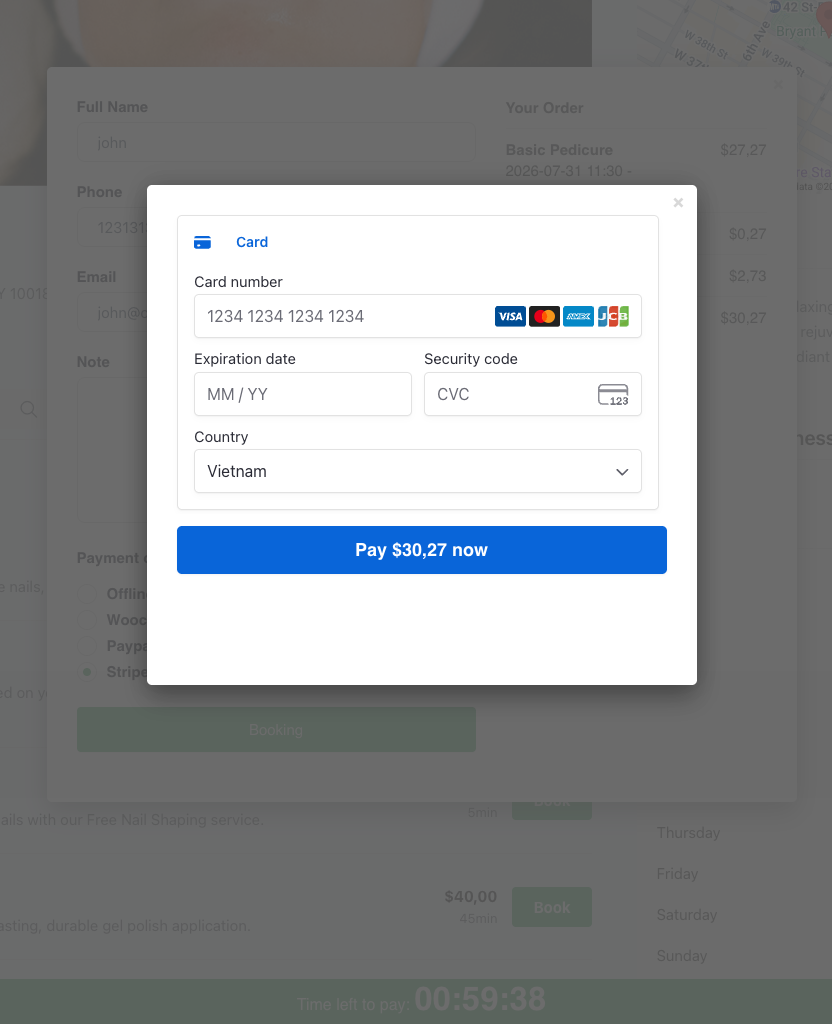
Add Stripe to BookPro to accept secure card payments and deposits for every appointment booking. Fast checkout, instant confirmation, fewer no-shows.
For 1 Site
Popular Use Cases
See how businesses use Stripe payment for booking to collect deposits, cut no-shows, and give clients a fast, secure online checkout the moment they book an appointment.
Take deposits at booking
Require a Stripe deposit when clients book an appointment, reducing no-shows and protecting your schedule from last-minute cancellations while keeping the checkout quick and secure.
Full prepayment for services
Let customers pay the full service price online through Stripe, so staff spend time on care instead of handling cash or card machines at the counter.
Salon & spa bookings
Beauty salons and spas accept card payments for every appointment booking, giving clients a smooth, trusted way to reserve and pay in a single step.
Clinic & consultation payments
Clinics and consultants collect fees upfront with Stripe checkout, confirming each appointment instantly and cutting down on unpaid or forgotten sessions.
Multi-service & package sales
Sell service packages or add-ons and let clients pay online in one Stripe transaction, making higher-value bookings effortless to complete.
International client payments
Accept major cards and multiple currencies through Stripe, so customers anywhere can book appointments and pay online without friction.
Core Value
Everything you need to accept online booking payments with Stripe: secure card processing, deposits, instant confirmation, and a smooth checkout built right into BookPro.
Native Stripe integration
Connect your Stripe account to BookPro in minutes and start accepting card payments for appointments without any extra payment plugin.
Secure card processing
Payments are handled through Stripe's PCI-compliant checkout, so sensitive card data never touches your site and every transaction stays protected.
Multi-currency support
Charge clients in their local currency through Stripe, making your booking service accessible to customers worldwide.
Instant booking confirmation
Appointments are confirmed automatically once a Stripe payment succeeds, keeping your calendar accurate and clients informed in real time.
Product Essentials
Everything you need to know about this Stripe add-on plugin before you buy.
-
1. What’s Included
- Plugin File
- Documentation
- Access to downloads
-
2. Compatible Browsers
- Chrome
- Firefox
- Safari
- Opera
- Edge
-
3. Compatibility
- WordPress Latest Version
- PHP 8.x
- PHP 7.x
- WooCommerce
- Elementor
- Loco Translate Plugin
- Polylang
- WPBakery Page Builder
-
4. Documentation
-
5. Support
- Monday - Saturday
- 24h Response Time
- Support via Forum
- Support via Email
-
6. Changelog
- Version 1.0.1
- 14 July 2026
- Read changelog file
Version history
- N = new
- U = update
- D = dev
- F = fix
- R = remove
- O = other
-
7. License
- 12 Months Update
- 12 Months Supports
Need Help?
Our support team is here for you
14 Days Money Back Guarantee!!!
Get a full refund as long as your request meets the conditions in our refund policy.
Frequently Asked Questions
Do you have a question about product? See our most frequently asked questions. If your question is not listed below, please contact us.
Do I need the BookPro plugin to use this add-on?
Yes. This is an add-on that extends BookPro, so the core BookPro plugin must be installed and activated first. Without it, the PayPal gateway won't appear at checkout.
Do I need a PayPal Business account?
Yes. You'll need a PayPal account with API access to generate a Client ID and Secret key. A Business account is recommended so you can accept payments and manage transactions properly.
How do I connect the add-on to my PayPal account?
Go to the plugin settings, choose your mode (Sandbox or Live), then paste in your PayPal Client ID and Secret key. Enable the gateway and you're ready to accept payments — no coding required.
What is Sandbox mode for?
Sandbox lets you test the entire checkout flow with fake PayPal accounts before going live. Once everything works as expected, switch to Live mode to start taking real payments.
Which currency does the add-on use?
It automatically uses the currency you already set in BookPro, so your prices and PayPal checkout always match. Just make sure your selected currency is supported by PayPal.
Is the payment process secure?
Yes. Payments are processed directly on PayPal's secure servers through your own API credentials. Sensitive card and account details never pass through or get stored on your website.
What happens to a booking after payment?
As soon as PayPal approves the payment, the appointment is automatically marked as paid and confirmed, and the PayPal transaction ID is saved to the order and invoice for easy tracking.
Does it work on mobile devices?
Yes. The add-on uses PayPal's official Smart Payment Buttons, which are fully responsive and load smoothly on both desktop and mobile.
Can I issue refunds?
Each transaction stores its PayPal transaction ID on the booking invoice, so you can locate and process refunds directly from your PayPal dashboard.
Do I need coding skills to set it up?
No. Setup is entirely through the plugin settings — just enter your credentials, pick a mode, and enable the gateway.
Your Benefits
Everything included with your purchase.
-
Download the product package immediately after successful payment.
-
14-day refund policy
-
12 months of support and updates
-
Online documentation included
-
Secure checkout & instant access
Safe payment, instant access, and reliable support.
Related Products
Required core plugin — install BookPro to run this Stripe add-on.
-

Appointment Booking Plugin for WordPress – BookPro
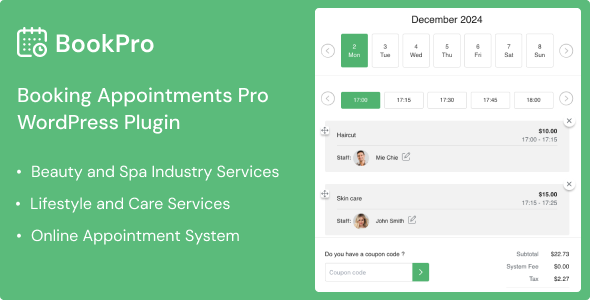
BookPro is an appointment booking plugin that lets customers book your services online 24/7, with easy staff, schedule, and payment management.
Review & Rating
See what customers think about this Stripe Payment for Appointment Booking add-on Bookpro — real ratings and reviews to help you buy with confidence.
Add a review Cancel reply
You must be logged in to post a review.

We sell WordPress digital products, including themes and plugins.
Simple and easy to use.