
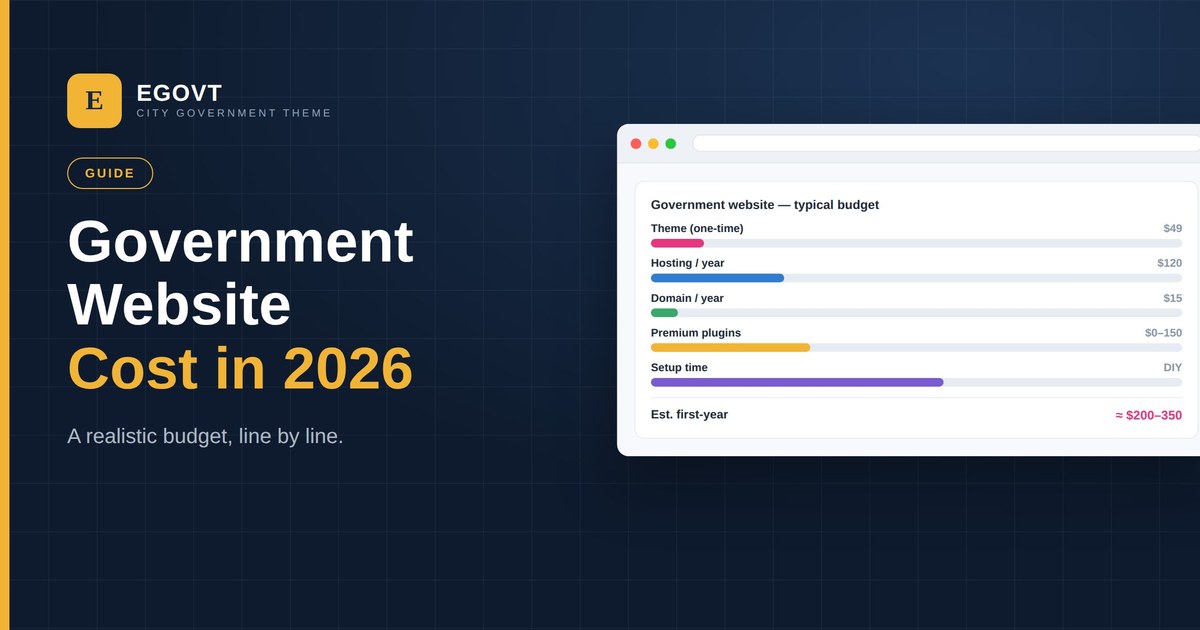
“How much does a government website cost?” has a wide answer — from a few hundred dollars for a well-built DIY site to hundreds of thousands for a bespoke agency project. This guide breaks down the real line items for 2026 and shows where a purpose-built WordPress theme saves the most.
The main cost components
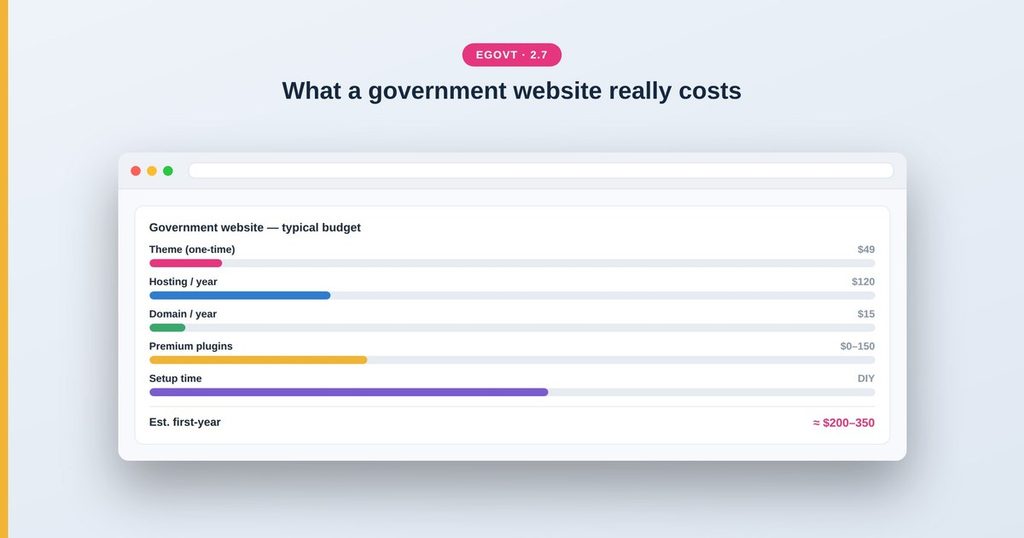
- Theme — a one-time license for a purpose-built government theme, typically a few dozen dollars.
- Hosting — recurring, from budget shared hosting to managed WordPress; a realistic municipal figure is a few hundred dollars a year.
- Domain — a small annual cost.
- Premium plugins — optional; many essentials (Elementor, GiveWP) are free.
- Setup and content — usually the biggest line item: design, importing content, and writing your services and pages.
Where a purpose-built theme saves money
The single most expensive part of a website is rarely the software — it’s the time to design and build it. A theme made for government, like Egovt, ships the civic custom post types (services, departments, documents, events, staff) and a one-click demo import, so you start from a complete, working site and simply replace demo content. That collapses weeks of design and development into days of content entry. At a one-time $49, the theme is a rounding error next to a custom build that can run into the thousands.
A realistic first-year budget
For a small municipality building the site in-house with Egovt, a realistic first-year total is roughly $200–350: the one-time theme, a year of decent hosting, a domain, and free plugins like Elementor and GiveWP. The main additional “cost” is your team’s time entering real content — which the demo import keeps to a minimum. Compare that with a fully custom agency build, where design and development alone often start in the thousands.
How to keep it affordable
- Choose a theme that includes the civic features so you don’t buy a stack of premium plugins.
- Use the one-click demo import instead of designing from scratch.
- Prefer free, well-supported plugins (Elementor, GiveWP) where they do the job.
- Have staff maintain the site with a no-code builder, avoiding ongoing developer fees.
Choosing the right platform first makes all of this cheaper — see our complete guide to government WordPress themes.
And once the budget is set, the build itself is what turns those numbers into a working site — without adding to the cost. Our step-by-step guide, How to Build a Government Website With WordPress, walks through every section from a blank install to launch.
Why Egovt keeps costs down
Egovt is a one-time $49 license that includes the civic features and a one-click demo, so it eliminates the most expensive line item — custom design and setup. See what you get in the live demo.
Frequently asked questions
How much does a government website cost in 2026?
Built in-house on a purpose-built WordPress theme, a realistic first-year total is roughly $200–350 — a one-time theme license, hosting, a domain and free plugins. Custom agency builds start much higher.
What is the biggest cost of a website?
Usually design and setup time, not the software. A theme with civic features and a one-click demo import cuts that dramatically.
How much does a government WordPress theme cost?
A premium government theme like Egovt is a one-time license of a few dozen dollars ($49), versus thousands for a fully custom build.
Are there free plugins for a government site?
Yes. Egovt works with the free Elementor page builder and the free GiveWP donations plugin, so you avoid stacking paid plugins.
