
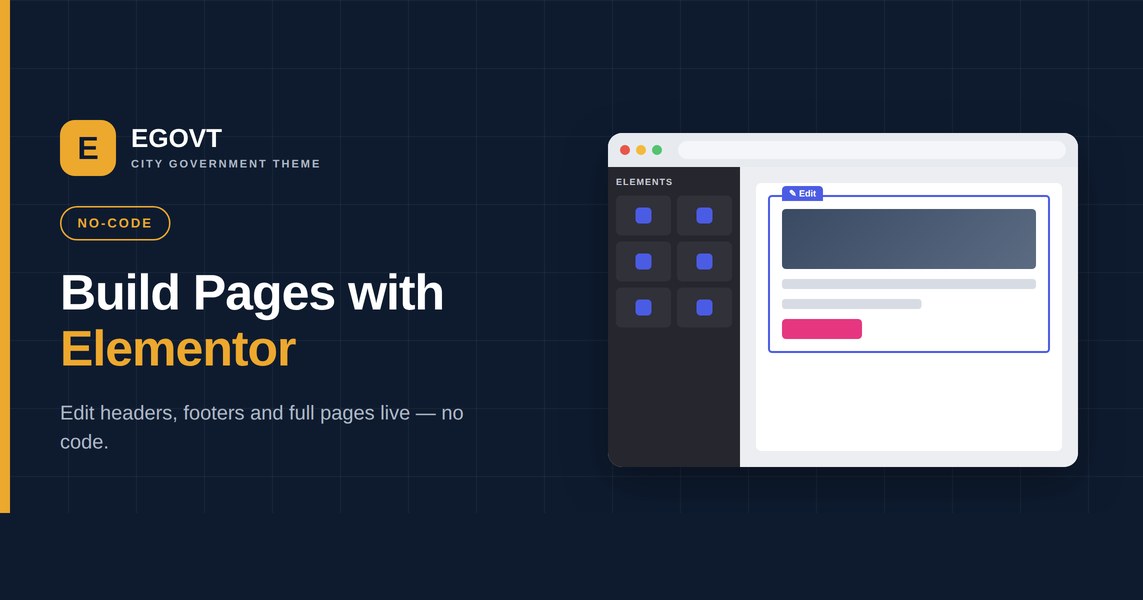
Government websites are maintained for years by teams that rarely include a developer. That is exactly why a government Elementor theme is such a practical choice: with the free Elementor builder, ordinary staff edit headers, footers and full pages visually, without touching code. This guide explains what Elementor gives a public-sector site and how Egovt uses it.
What Elementor gives a government site
Elementor is a drag-and-drop page builder. Instead of editing template files, you arrange sections, columns and widgets on a live canvas and see the result instantly. For a government team that means:
- Live editing — change wording, images and layout without a developer.
- Reusable headers and footers built visually and applied site-wide.
- Full-page control for landing pages, service pages and announcements.
- A gentle learning curve, so new staff can keep the site current.
Egovt plus the free Elementor builder
The Egovt theme is built on the free version of Elementor — you do not need to buy Elementor Pro. It adds government-specific widgets and lets you build headers, footers and complete pages live, then start from a complete design with one-click demo import.
Build your header and footer with Elementor
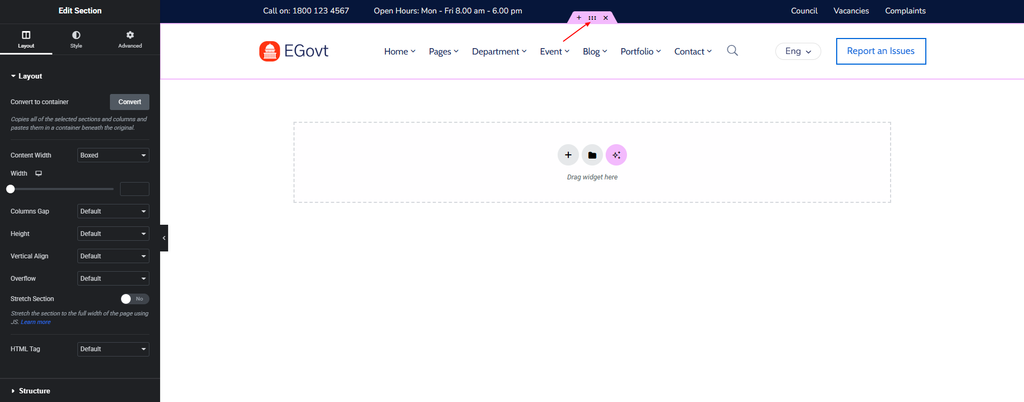
With Egovt you design your header and footer visually in Elementor — no code and no template files to edit. Add your logo, the navigation menu, a top bar with contact details and social links, a search box and a call-to-action button, then apply the header and footer across the whole site. Because they are saved as Elementor templates, you can even use different headers for different sections and change them at any time.
Build the homepage with Elementor
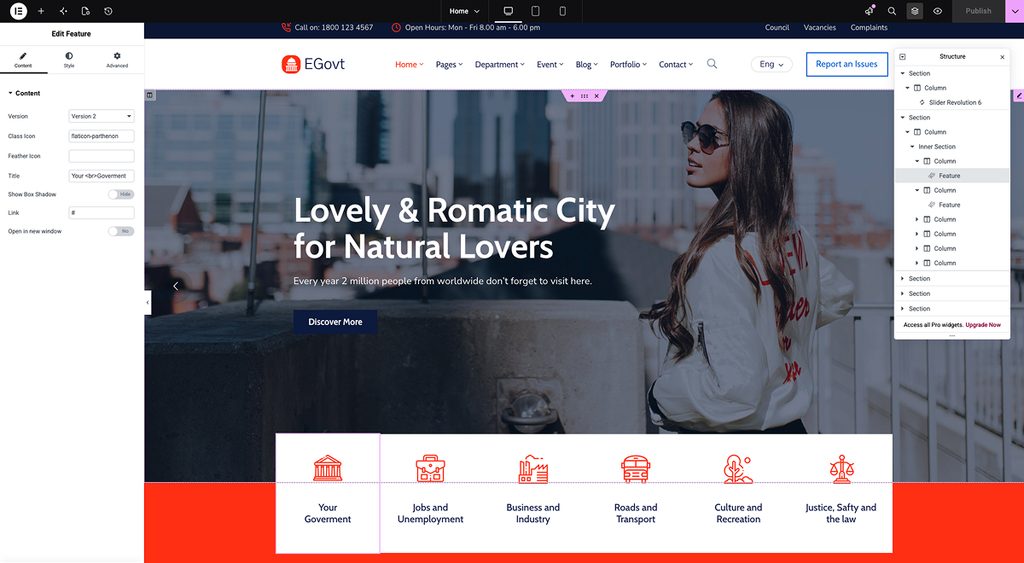
The homepage is where Egovt’s element library does the heavy lifting. We use the ready-made Elementor elements and also built new, custom elements for this theme, so you can change the content easily without touching code. Drop in a hero slider, a services grid, a department list, upcoming events, a team section, counters or testimonials, then edit the text, images and links inline. Start from the imported demo homepage and simply swap in your own content, or assemble a page from scratch — nine homepage layouts give you a head start.
Elements for services, team, departments and more
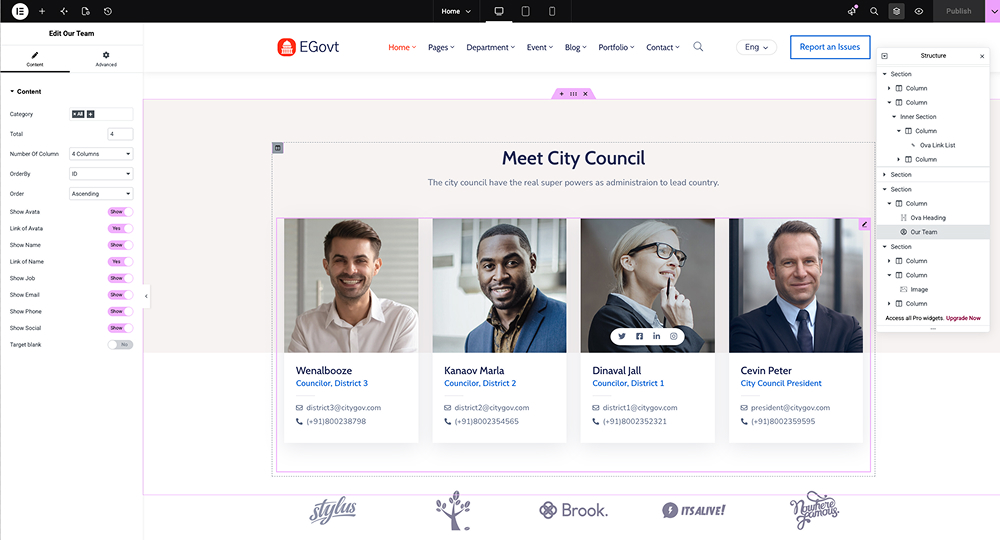
Beyond generic widgets, Egovt ships a large set of Elementor elements built for its extensions — services, team, departments, documents, events, directory, portfolio and donations. Each one has dedicated elements that display the information in full: service lists and grids, team member sliders and grids, department listings, event calendars with filters, document lists with downloads and more. That means you can present every content type on any page, styled to match the rest of your site, with nothing but drag-and-drop.
Building a page step by step
- Open a page in Elementor to enter the live editor.
- Drag a section onto the canvas and choose a column structure.
- Add widgets — headings, images, buttons, service lists, events or team members.
- Adjust spacing, colors and typography in the side panel until it looks right.
- Preview on mobile, then publish. Reuse the same section as a template elsewhere.
No premium page builder required
Because everything runs on free Elementor, your only cost is the theme itself. Required plugins are bundled, so there is no stack of premium add-ons to license and keep updated — a real advantage for tight public budgets.
For how the builder fits into the whole site, see our government WordPress theme guide.
Why we’d start with Egovt
Egovt pairs the free Elementor builder with the civic modules a government site needs — services, departments, documents, events and more — for $49. Watch it in the live demo.
Frequently asked questions
Do I need Elementor Pro for a government website?
No. The Egovt theme is built on the free version of Elementor and bundles the required plugins, so you can build headers, footers and full pages without a premium builder.
Can non-technical staff edit an Elementor site?
Yes. Elementor is a visual, drag-and-drop editor, so staff change text, images and layout live without writing code.
Is an Elementor theme good for SEO?
Elementor produces standard HTML and works with SEO plugins like Rank Math; combined with fast, clean markup it supports good rankings.
Can I reuse headers and footers across the site?
Yes. Elementor lets you build a header and footer once and apply them site-wide, keeping the design consistent.
