
Step 1: Open this link: https://ovatheme.ticksy.com/submit. In the “Product or Category” field, select the product whose icon shows the letter “O” followed by “ovatheme” — for example, “Tripgo – Ovatheme”.
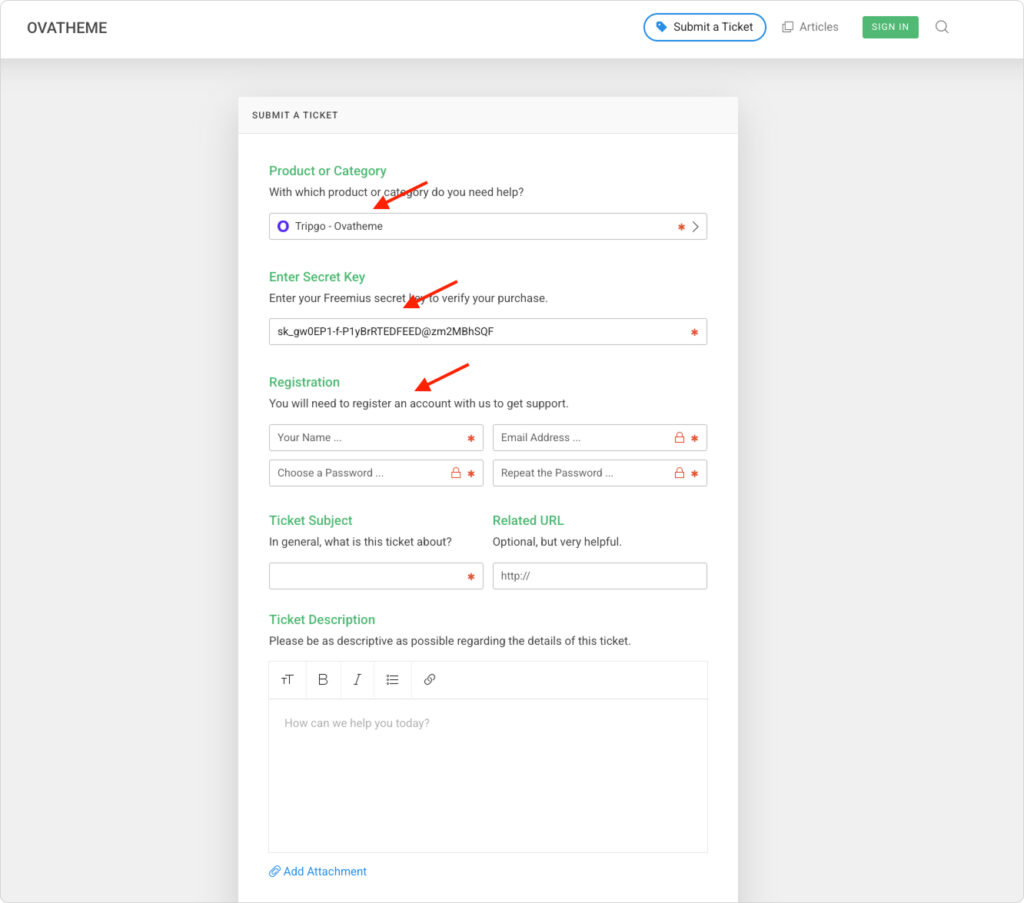
Step 2: Enter your secret key in the “Enter Secret Key” field. You can find this value in your order confirmation email, or by visiting https://ovatheme.com/account.
Step 3: Fill in the remaining ticket details (subject, description, priority, etc.) and submit your request.
Once submitted, our support team will review your ticket and respond as soon as possible.
